

Send estimates between Ediphi and Join in both directions. Ediphi’s Excel add-in builds the Join import file for you.
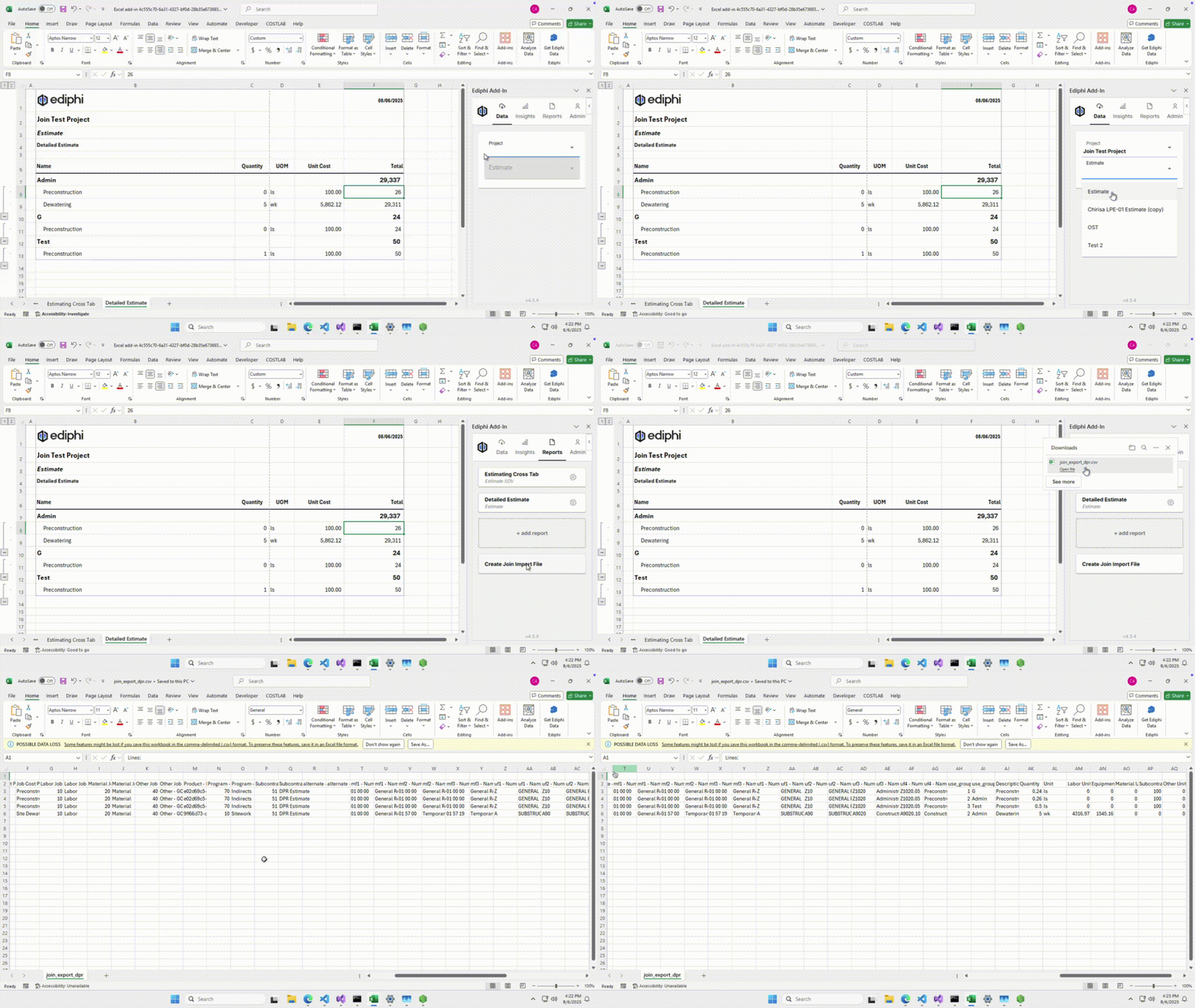
Ediphi has built the export straight into its Excel add-in. Open the Ediphi add-in, pick your project and estimate, and click Create Join Import File — it downloads ready to bring into a Join Milestone estimate. From there Join tracks every design decision against that baseline, with cost impact, schedule impact, an owner and a due date on each one, so the estimate stops being a snapshot and starts trending as the design develops.
When you need the number back in Ediphi, export Join’s Running Total — the estimate including all accepted and incorporated items — as a .csv and import it. Keep the Use Group column intact and markup allocation is preserved on the way back, so a round trip doesn’t cost you the structure you built. Learn how to move estimates between Ediphi and Join.

Let’s build something remarkable.
Together.
All the players. All the pieces. It all comes together with Join.